Loading…
Help
User Guide
How to discover events, book tickets, pay securely, and show your QR at the gate.
Step 01
Select your city
When you open the site, choose your city so you only see nearby events. You can change city anytime from the location button in the header.
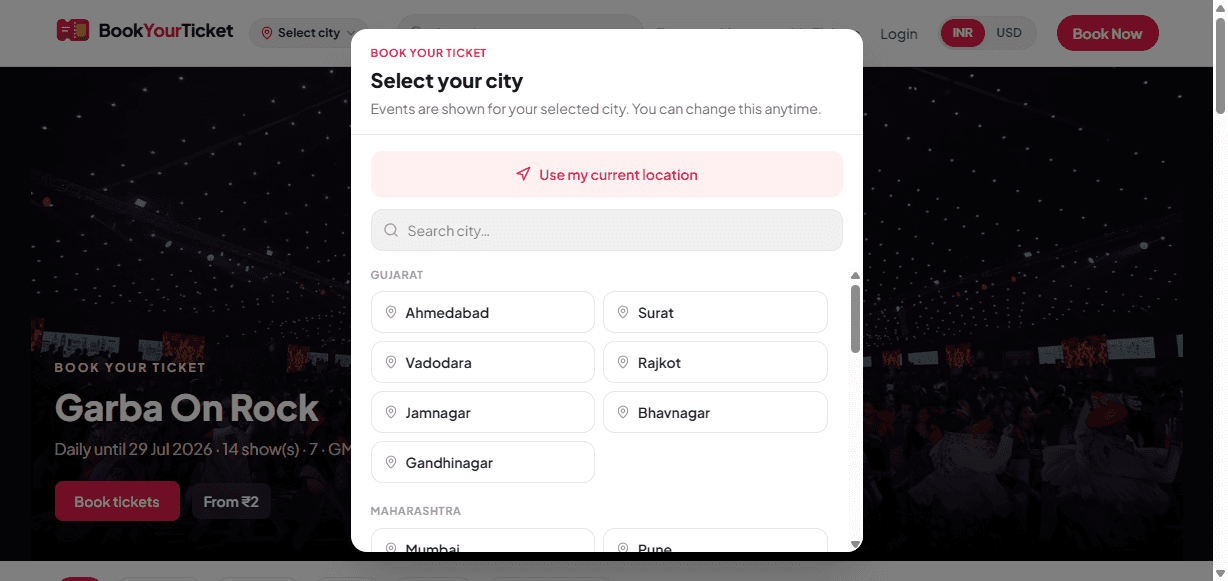
- Use “Use my current location” or pick a city from the list.
- Search if your city is not in the first rows.
Step 02
Browse the home page
The home hero shows featured shows. Scroll for Trending, Recommended, and category rows. Use search or Book Now to jump into booking.

- Switch INR / USD from the header if needed.
- Tap an event card to open details and booking.
Step 03
Sign in with OTP
Go to Login (or Customer Login in the footer). Choose Email OTP or Mobile OTP. We’ll send a one-time code on email or WhatsApp. Your account is created automatically on first login.
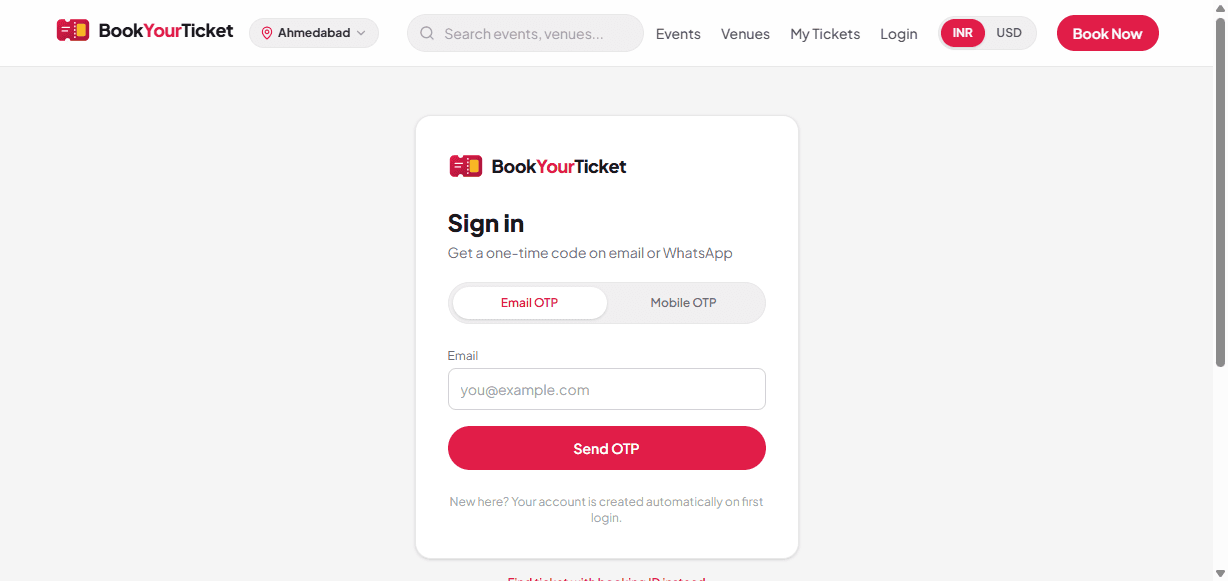
- Prefer Mobile OTP for WhatsApp delivery.
- You can also open a ticket with booking ID without full login.
Step 04
Find events
Open Events to search and filter by category or venue. Results update for your selected city.
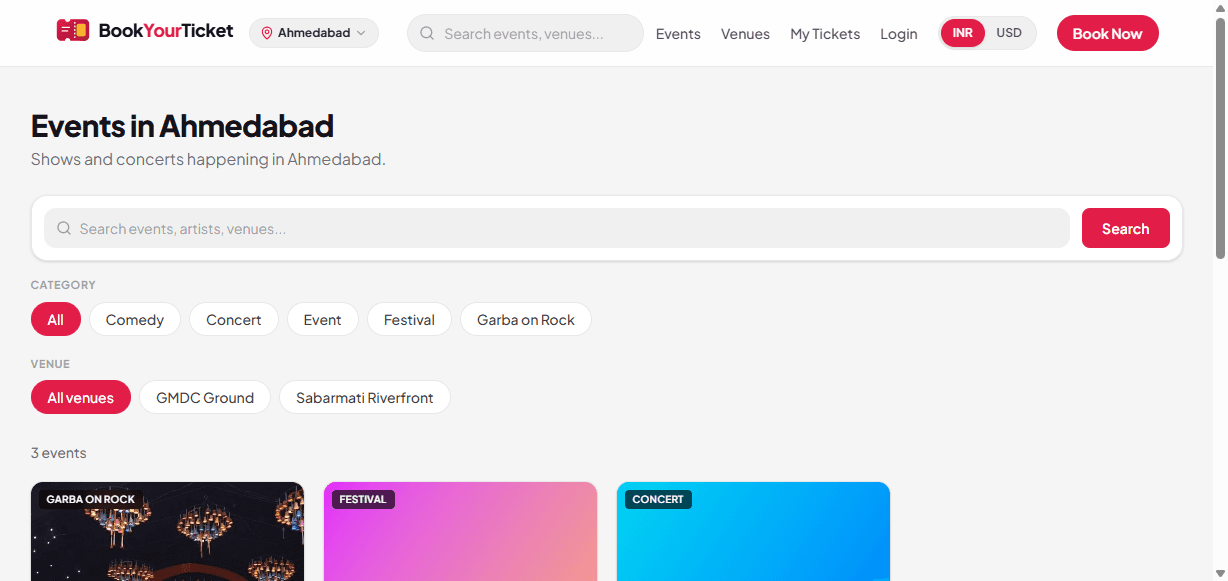
- Use Category chips (Comedy, Concert, Festival, …).
- Use Venue chips to narrow to a ground.
Step 05
Book & pay
On the event page, pick ticket category and quantity, enter email and WhatsApp mobile, then pay with Razorpay or Cashfree. After payment you get an instant QR ticket.
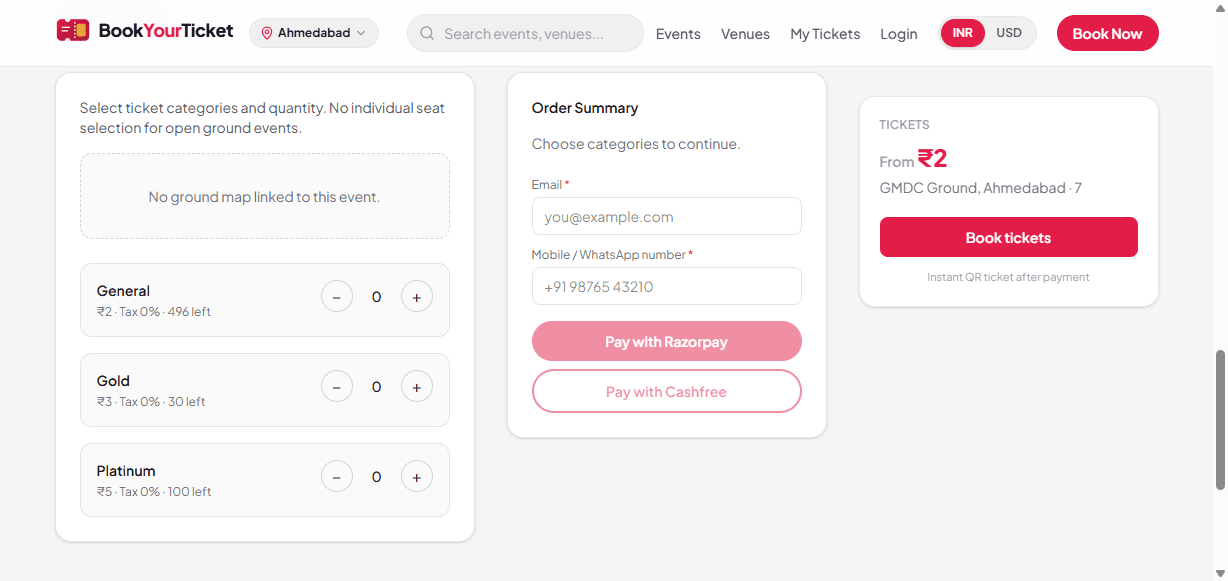
- Open-ground events may not need seat selection.
- Keep the same email/phone you used at checkout.
Step 06
View My Tickets
Open My Tickets anytime to see your QR codes. Sign in to keep all bookings in one wallet, or look up a single booking with booking ID.
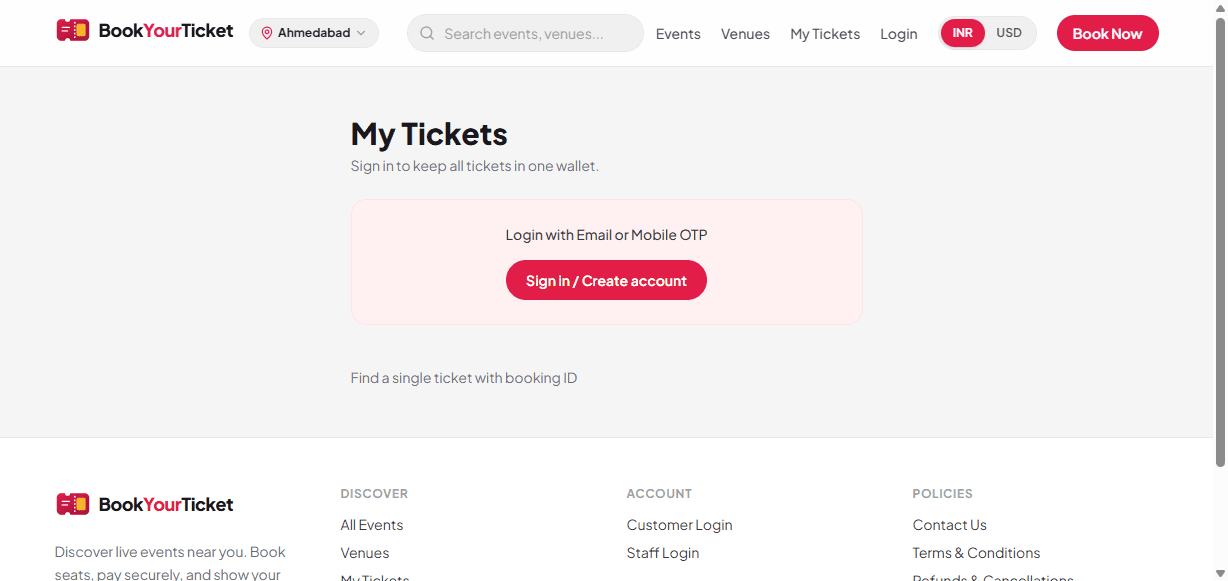
- Show the QR at the venue gate for entry.
- Need help? See Contact Us or Refunds policy.